

Steps to create a Webhook
Find a package to create a webhook for
Head to the packages page and find the package you want to create a webhook for.

Click on "Webhooks" in the 3 dots ... dropdown
Find the three dots next to the package you want to create a webhook for and click on “Webhooks”.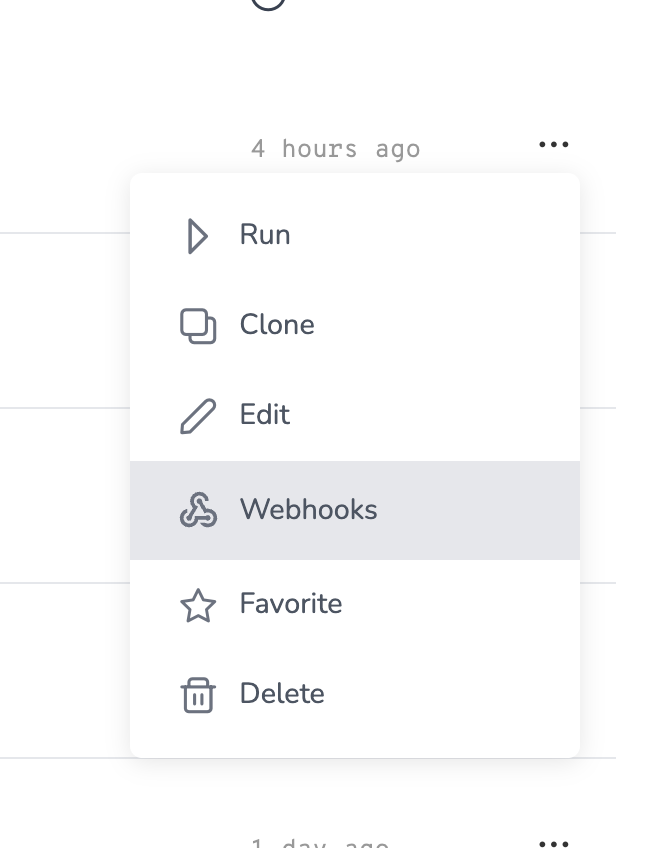
Click Create new Webhook
You’ll be sent to the Webhook Management Page page for your package, where you can create a new webhook. Click the “Create new Webhook” button.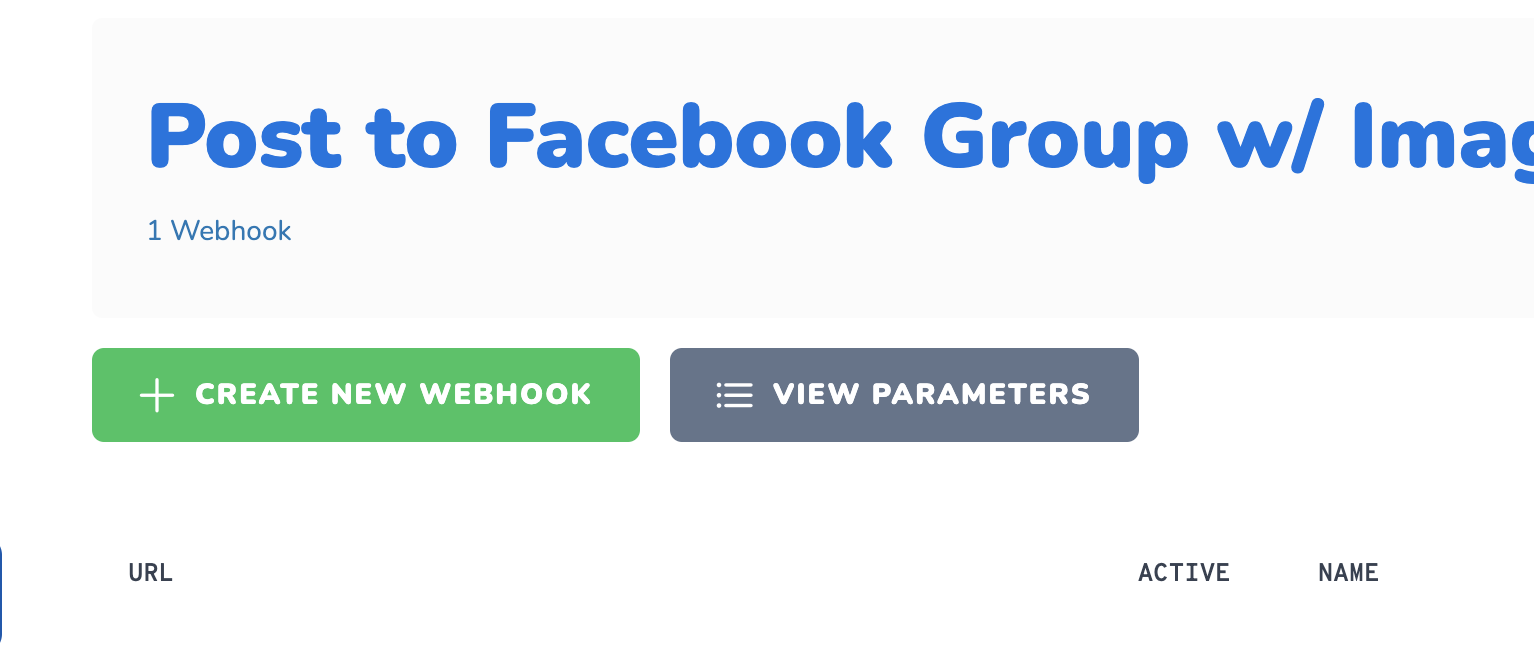
Choose a name and select keys
Choose a name, and the keys and profiles you want to use with this webhook. Give it a name and click “Create Webhook”.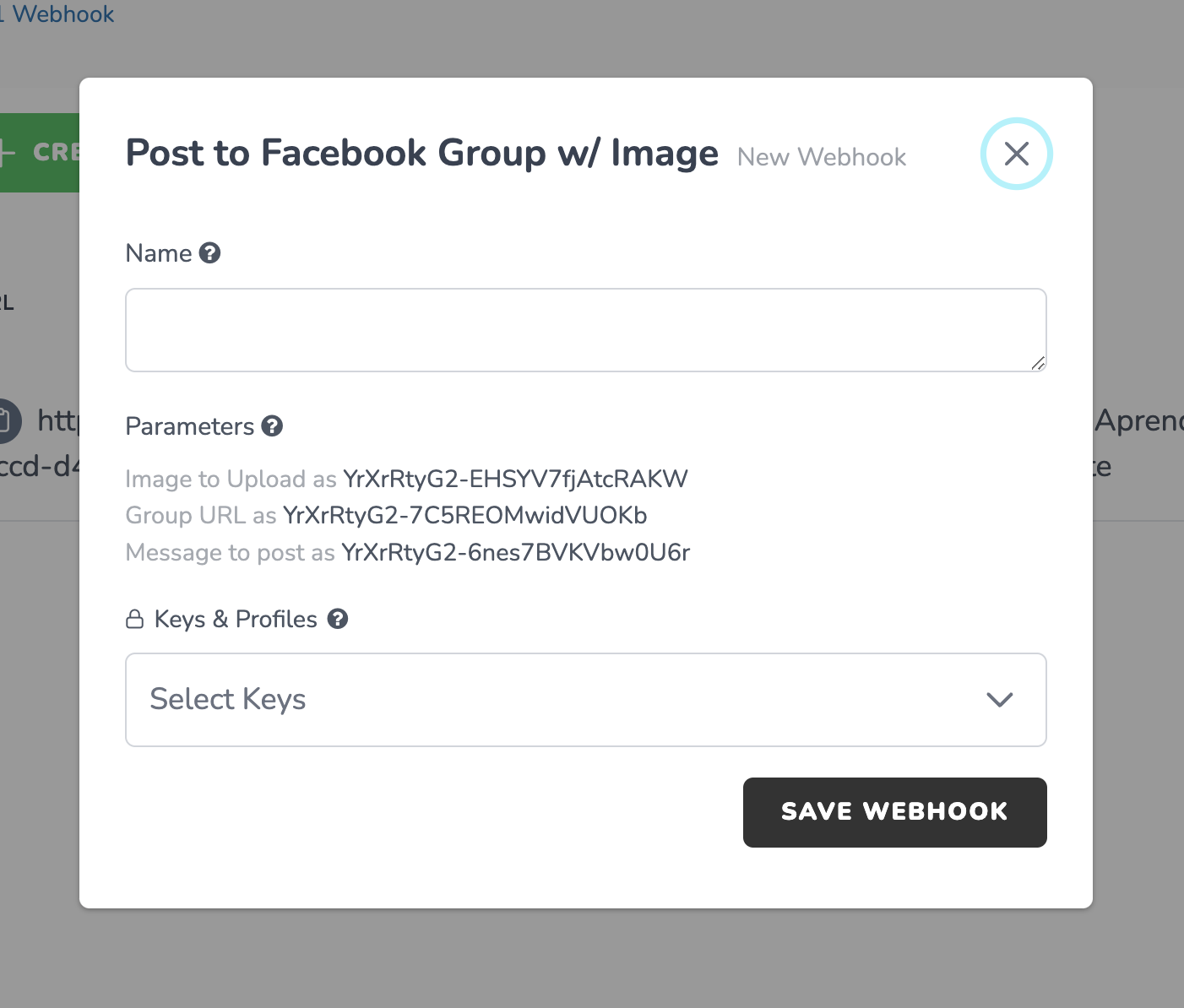
Your webhook is created!
You did it! 🎉 Your webhook is created and now you can head to the documentation on triggering a Packages webhook.
Video of the Webhook creation process
Are you more of visual learner? Check out our video on how to create a webhook in Packages.Triggering a Webhook
You made your first webhook 💪. Now its time to trigger it!Trigger a Webhook outside of Packages
Using Webhooks with Zapier, Pabbly Connect, Make, or any other automation platform